Adding an API Key to Blish HUD
Adding an API Key
API Keys for Guild Wars 2 do not allow anyone to access any information that could compromise your account or steal anything from you. These essentially only allow various tools to read information from your account based on what permissiosn you grant.
SPARK requires access to the most basic permissions - account and characters.
This is so we can bind your RP profiles to your account, and also verify which characters you own. This helps prevent impersonation, and allows SPARK to include features such as blocking, so you can prevent others from seeing your profiles, online status, location, etc.
1. Open the Blish HUD panel using the icon on the top bar (like before)
2. Click on the 'Manage API Keys' tab.
3. Follow the instructions to add an API Key to Blish HUD.
Once you have added a key, it should look like this:
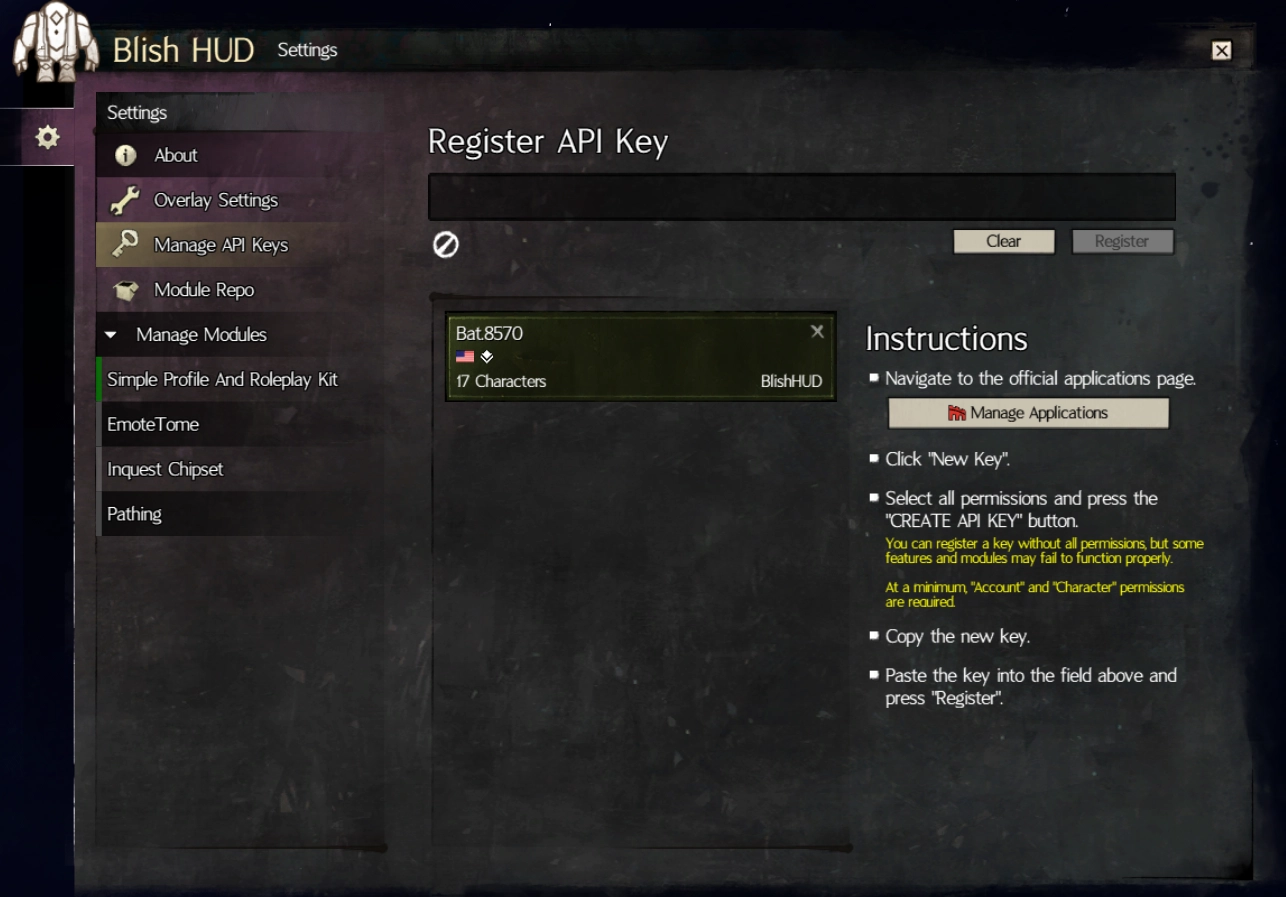
You should now be able to use SPARK!
When you use SPARK, you should see:
Server status: Connected: SPARK Available
SPARK tools ready.